A WordPress form testing checklist should follow an enquiry from the visitor’s screen to the person or system expected to receive it. A success message is useful. A lead that your team can actually retrieve is rather more useful.
For a cohort of enquiries already received, use the WordPress forms and CRM reconciliation guide to investigate missing work items, duplicates and operational assignment.
For a 2027 website launch, migration or maintenance contract, agree that complete journey before commissioning the checks. This guide gives you an original test-plan structure, an illustrative evidence sheet and a practical way to compare proposals. It does not report a client project or suggest that any test has been run on your website.
If a form is failing now, start with the browser-to-mailbox diagnostic guide. The job here is different: deciding what a planned test must cover and what evidence your supplier should hand back.
1. Inventory business routes, not just form URLs
One contact page can contain several routes. A product choice may change the recipient. A language may use another notification template. A hidden campaign identifier may determine the CRM pipeline. Counting that page as one successful test can conceal most of its useful behaviour.
List the public URL, form identifier, language, meaningful conditional branches, expected recipient, storage location and downstream integration. Identify who owns each destination. Include embedded forms and mobile versions where they use a different implementation.
Then choose representative routes according to impact and dependencies. You do not necessarily need every possible combination of browser, field value and campaign. You do need a reason for the combinations selected and an explicit list of exclusions. Put business-critical routes at the top.
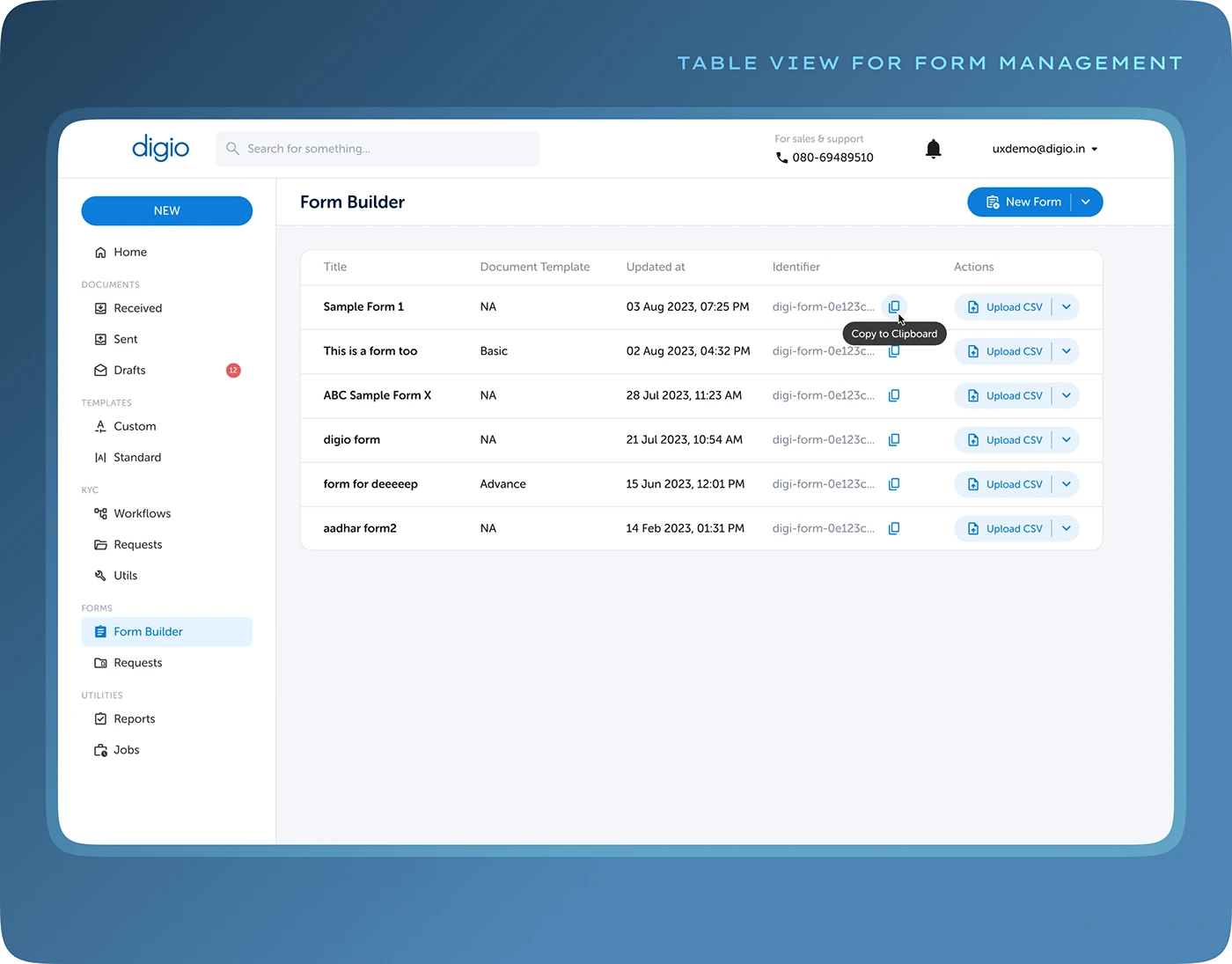
A form-management screen can help identify what exists. The test inventory still needs the destinations and responsibilities that a screenshot cannot establish. Keep the identifier consistent between the inventory, test run and final report.
2. Write the expected result before clicking submit
Give each test a reference, input conditions and a result that someone can observe. “Check the contact form” is a task name, not an acceptance criterion. “The authorised synthetic enquiry creates one entry and reaches the controlled sales destination with its reference and selected service” can be checked.
Set a delivery observation window appropriate to the actual route. Some integrations process immediately; others queue work. Ask the operator what is normal and record that assumption. Avoid declaring failure simply because a documented queue has not yet processed, or success while an indefinitely growing queue hides the enquiry.
Agree which system is authoritative for the business record. A mailbox, a stored form entry and a CRM may all hold related information without carrying the same operational responsibility. The test should say where the team is expected to work.
3. Use a small evidence sheet with distinct checkpoints
| Checkpoint | Evidence to record | Who confirms it |
|---|---|---|
| Visitor action | URL, test reference, device, language and visible result | Tester |
| Application receipt | Permitted submission outcome and stored entry ID, where supported | Website operator |
| Notification dispatch | Matching provider event and its actual status | Mail administrator |
| Destination receipt | Reference found in the intended controlled mailbox | Destination owner |
| CRM hand-off | Record ID, mapped fields and intended assignment | CRM owner |
| Operational access | Assigned team can retrieve and process the test record | Business owner |
These are fields to complete, not pre-filled results. A checkpoint that cannot be inspected should remain “not verified”, with its owner and the evidence needed to close it. That is more useful than a green overall status built from an incomplete route.
4. Prepare controlled test data
Use addresses and destinations your team controls, fictitious names and a unique reference. Explain how the test will be recognised and excluded from real sales work. Do not use another person’s address or a genuine customer enquiry as the probe.
If you use a special test route, have the responsible developer define how it is restricted and what it represents. A public parameter that bypasses protection or changes recipients is not a sensible shortcut. Record whether the check exercises the normal route or an agreed substitute.
Include an authorised attachment only when uploads are part of the scope. Use a harmless document with no private information. Agree where test entries and files are stored and who removes them after the evidence has been reviewed.
5. Test validation, correction and the genuine success path
Try the agreed missing-field and invalid-format cases, then correct them. Check that the visitor can understand the error and continue without losing unrelated work. Include keyboard use and a narrow screen in the planned interface review.
For the successful route, record what happens after the actual submission. An analytics event or a button animation does not replace the application’s result. Confirm whether the interface prevents an accidental repeat and what happens if the visitor cannot tell whether the first submission completed.
Do not turn that question into uncontrolled repeat submissions on a live sales route. Agree the permitted method and verify how duplicate handling works with the actual plugin and integration. Preserve the original enquiry when investigating an uncertain result.
6. Exercise the conditions that change behaviour
Cover meaningful conditional recipients, service choices, languages and attachment rules. Compare a normal visitor with an administrator only if login changes scripts, cache or permissions. Include the supported consent states without disabling protection or inventing a bypass.
Record the browser and device used. “Works on my computer” is an observation, not the coverage plan. Choose a manageable set based on your audience and previous failures, and state the combinations not checked.
Where mobile behaviour differs, use the mobile submission troubleshooting guide to isolate the symptom. The acceptance record should distinguish a layout problem, a blocked request and a downstream delivery problem.
7. Check email at the receiving end
Match the test reference to the provider event and the controlled destination. Record the provider’s status accurately rather than translating every positive-looking event into “inbox delivery”. Find the message where the intended recipient can actually use it.
WordPress documents that a successful wp_mail() return value does not itself prove receipt. Treat it as evidence about that call, then continue through the configured mail route. The provider and destination observations answer different questions.
If one recipient receives the notification and another does not, retain that distinction. A general SMTP test may use a different sender, recipient or message from the real form. The SMTP-test-versus-real-form guide explains that diagnostic fork.
8. Verify the CRM record, mapping and assignment
Where a CRM is included, confirm more than the existence of a new contact. Check the fields the business needs, the enquiry’s relationship to an existing record and the destination or owner responsible for following it up.
Use a known synthetic example to test the agreed new-record and existing-record behaviours. The correct result may differ by configuration; the supplier should document the rule rather than assume that every repeated address should create another contact.
Include missing or invalid mapping as a controlled test only in an environment and manner approved by the operator. Ask what evidence identifies a failed hand-off, how it is recovered and how a repeated attempt avoids duplicating business work. Do not infer those capabilities from the appearance of a CRM dashboard.
9. Agree what happens when a checkpoint fails
The test plan needs a response route. Name who reviews a rejected notification, an integration error or an entry without acknowledgement. Record how an enquiry can be recovered while the failing stage is investigated.
Keep the alert destination independent enough to remain useful when the monitored path fails. Define what the operator sees, how they acknowledge it and which change requires approval. An alert that nobody owns is simply a faster way to accumulate unread messages.
After repair, repeat the affected journey with a new reference and preserve the earlier result. Record the actual change, the verification and any exclusions that remain. Avoid declaring the whole site repaired because one notification finally arrived.
10. Turn the first test into a change-triggered routine
Use the same core acceptance record after relevant form, WordPress, PHP, DNS, mail-provider or CRM changes. Add routes when a language or conditional branch is introduced. Remove retired forms from the inventory instead of continuing to report them as covered.
Choose recurring frequency from business impact and the dependencies you can observe. A planned review and an ongoing monitoring service are different scopes. The form delivery monitoring guide helps specify which continuing checkpoints are justified.
Keep a dated version of the plan and the run report. When a route changes, update its expected result as well as its screenshot. Otherwise the next tester may carefully verify a journey the business stopped using months ago.
A worked planning example: a quotation request with an attachment
Imagine a service enquiry with a language choice, one optional document and a CRM hand-off. This is a fictional route for planning the work. Give it the reference FORM-ACCEPT-001 and leave its execution status as “not run” until the authorised test takes place.
The input is a synthetic enquiry in the selected language, the agreed service choice and a harmless sample attachment within the permitted limit. The expected output is one recoverable entry where supported, the notification to the correct controlled destination and the agreed CRM record with the selected service and owner.
List the evidence required for each expectation. The tester records the visible result; the website operator identifies the entry; the mail owner checks the matching event and destination; the CRM owner checks mapping and assignment. State whether the attachment should reach an authorised recipient directly or through a protected reference, according to the site’s actual design.
Now change one condition: select the other agreed service route. Its recipient and assignment may differ. That second test earns its place because it exercises a different rule. Repeating the first route ten times would not verify that rule.
If the mail arrives but the CRM stage remains unverified, the report should show that partial result and its owner. It should not infer a completed hand-off from the notification. The value of the plan is making that missing evidence visible before the website is handed over.
Questions to settle before approving the test plan
Is a successful staging test enough?
Staging helps investigate and rehearse changes. Its mail accounts, protection, integration destinations or cache can differ from production. Document those differences and agree the limited, authorised production checks needed to accept the real route after release.
What if nobody can inspect the CRM?
Mark that checkpoint as unverified and name the owner who can supply its evidence. You can still report the browser, application and mail observations accurately. Leave the overall CRM-dependent acceptance open until its agreed result is checked.
Does this replace recurring monitoring?
A completed run records what happened under named conditions at that time. Recurring checks need their own schedule, coverage, alerts and response owner. Use the first plan as their starting inventory and update it as the route changes.
What to ask for in a form-testing proposal
Ask the supplier to identify the routes, environments, test data, checkpoints, required access, exclusions and evidence format. Separate diagnosis of an existing failure from acceptance testing of a planned change and from recurring monitoring.
The handover should include the completed inventory, actual observations, unresolved checkpoints with owners, changes made, recovery instructions where relevant and the next agreed check. Keep passwords, tokens and customer payloads out of the public request and shared report.
Compare effort against the route matrix. Six forms sharing one delivery path may require a different review from one form with six conditional destinations. Account for access to each system, time to observe queued work, coordination with destination owners and re-testing after a correction. A low page count does not establish a small testing job.
To commission a WordPress form delivery assessment, send the public URLs, plugins, expected destinations and the business consequence of a missed enquiry. We can use that context to scope the work and quote before intervention. Bring the awkward conditional route too; that is often where the useful questions start.
A form delivery experiment: receipt, failure and recovery
On 25 October 2026 we ran a private WordPress form through a local SMTP receiver and a mock CRM. The data and addresses were fictional; the browser submissions, email transport and HTTP requests were executed. We used WordPress 7.1.3, PHP 8.3.36, PHPMailer 7.1.1 and MariaDB 11.4.12, with Chromium 152.0.7977.82. The laboratory had its own database and internal network, with no public ports.
Three submission references covered a successful route, a controlled SMTP rejection and a temporary CRM failure. We then retried the failed stages and repeated completed submissions. Each retained message carried the submission reference; the receiver recorded its time, size and SHA-256 hash. The CRM kept a record against the same reference.
| Browser action | Observed result | Retained messages, total | CRM records, total |
|---|---|---|---|
| Successful submission | SMTP accepted; CRM 201 | 1 | 1 |
| Repeat completed submission | No new SMTP or CRM call | 1 | 1 |
| SMTP recipient rejection | SMTP 550; CRM not called | 1 | 1 |
| SMTP recovery | SMTP accepted; CRM 201 | 2 | 2 |
| CRM temporarily unavailable | SMTP accepted; CRM 503 | 3 | 2 |
| CRM recovery | CRM 201; email not repeated | 3 | 3 |
| Repeat recovered submission | No new SMTP or CRM call | 3 | 3 |
The counters include earlier rows. After the seven browser actions, the receiver held three messages and the mock CRM held three unique records. There were four CRM requests because the temporarily unavailable request had to be retried. Repeating a completed submission created neither another message nor another CRM record.
Two failures that need different answers
For the SMTP case we configured the receiver to reject the recipient with a 550 response. WordPress returned a mail failure, the form returned HTTP 503 and the handler did not call the CRM. After restoring acceptance, the same submission completed with one retained message and one CRM record. This fixture follows a notification-then-CRM policy. A business may need the lead saved in its CRM even when notification fails; agree that rule before writing the acceptance test.
For the CRM case, the message reached the local receiver but the CRM returned HTTP 503. The form reported a pending CRM stage. On retry, it reused the saved submission state and called the CRM without sending the email again. That distinction matters when someone says “the form worked”: the notification and the sales record are separate outcomes.
We measured the calls rather than inventing a delivery time. In the first successful action, wp_mail() took 52.762 ms, the CRM HTTP call 21.136 ms and the browser request 248 ms. The CRM-only recovery call took 2.102 ms. These are observations on a local private network, not provider benchmarks or delivery promises. The WordPress documentation explains why a true return value alone does not prove recipient receipt; here we also inspected the receiver’s retained message.
Download the observed trace and seven-step CSV. It includes message hashes, responses, record counts and measured durations. An initial browser launch failure and an invalid default sender configuration were excluded from this seven-action series and kept in the execution audit. We corrected the sender before the measured series.
The receiver never forwarded mail. This validates the controlled WordPress-to-SMTP-to-mock-CRM route we ran. An external inbox, spam filter, commercial CRM, production form plugin and TLS configuration still need their own checks. We removed the temporary containers, network and private setup files after capturing the evidence.